Best Home Management Apps in 2026: An Honest Comparison
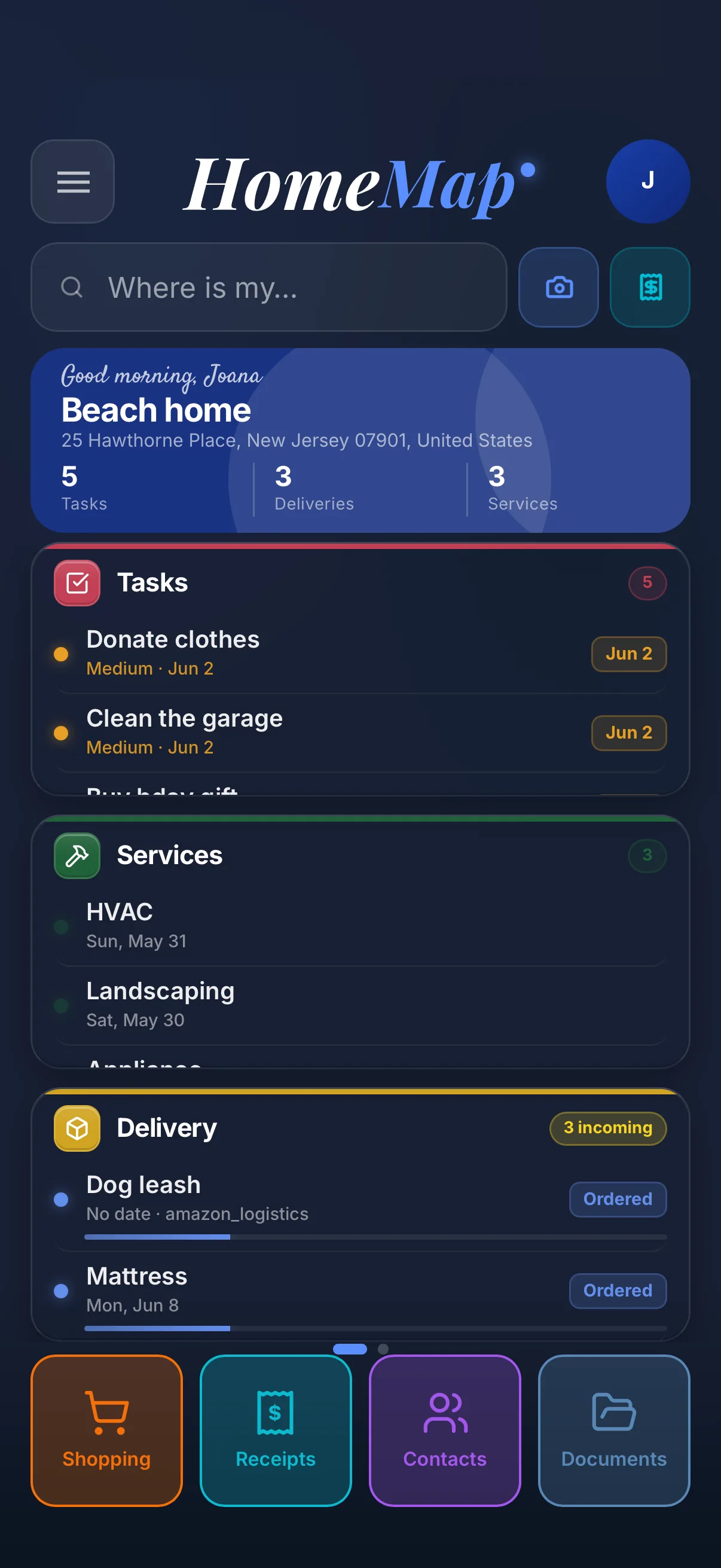
Searching for the best home management apps returns a strange mix, because "managing a home" means five different jobs: knowing what you own, keeping receipts and warranties findable, staying ahead of maintenance, coordinating the household, and tracking what the house itself is worth. No single app is best at all five. The Insurance Information Institute recommends every household keep a documented home inventory, and that advice is where most people start: they want their stuff, their paperwork and their to-do list to stop living in six different places.
This comparison covers the five apps people actually shortlist in 2026, what each costs, and who each is really for. It also covers the app you should no longer shortlist, and the lesson its shutdown left behind.
The comparison at a glance
| App | Best for | Inventory and receipts | Tax deductions and reports | Task assignment | Maintenance | Price |
|---|---|---|---|---|---|---|
| HomeMap | Everything about the home in one app, teams and taxes included | Room by room with AI photo ID; receipts scanned and auto-filed | AI flags deductible items; PDF and CSV export for your accountant | Yes, per person with push reminders | Service log per appliance | Free to start; Premium $7.99/mo; Pro $14.99/mo |
| Homer | A light digital home binder | Basic inventory; receipts stored as documents | None | No | Smart reminders | Free version; premium around $5/mo |
| HomeZada | Home finances and value | Detailed inventory; receipts tied to budgets | Expense and budget tracking, no AI deduction flags | No | Seasonal schedules | Free tier; Premium $99/yr; Deluxe $189/yr |
| Cozi | Family calendar and lists | None | None | Shared lists, not per-person tasks | Only as to-dos | Free with ads; paid Gold upgrade |
| Tody | Cleaning schedules | None | None | Cleaning duties only | Cleaning tasks only | Paid app, inexpensive |
| Centriq | Shut down January 2026. User accounts and data were deleted. Do not start here. | Gone | ||||
How we compared them
Each app was judged on the five jobs of home management, plus two criteria most listicles skip.
- Inventory: can you record what you own, room by room, with photos and values that would satisfy an insurance adjuster? The NAIC, the association of US state insurance regulators, considers this the core record every household should keep.
- Receipts and documents: when the dryer dies in year two, can you produce the receipt and the warranty in under a minute?
- Maintenance: reminders are easy; a history of what was serviced, when, by whom and for how much is the hard part.
- Household sharing: a home is managed by everyone who lives in it, so the app has to work for more than one person.
- Price honesty: what the app costs once you use it for real, not just the free tier headline.
- Data survival: what happens to your records if the company behind the app closes. January 2026 made this criterion mandatory; more on that below.
HomeMap: the best all-in-one home management app
HomeMap is built on one idea: everything about your home should live under one roof. You photograph an item and the app identifies the brand, model and category with AI, then files it to its room. You scan a receipt and it attaches itself to your records, so returns, warranty claims and tax season stop being scavenger hunts. Point the camera at an appliance's product sticker and HomeMap reads it and fills in the details for you.
Around that core, HomeMap adds the rest of the home's paperwork and upkeep: a service log per appliance, tasks, deliveries, household contacts and a document vault. And it is built for more than one pair of hands, in a way nothing else on this list matches: tasks are assigned to specific people. Assign "fix the gate" to your partner or your handyman, attach a photo of the problem, and the app pushes the reminder to their phone, with an activity trail showing what got done. None of the other apps in this comparison combine per-person task assignment, per-property permissions and an activity trail; here, nobody has to be the nag.
Two more features nothing else on this list has. First, AI tax deduction suggestions: when you scan a receipt, HomeMap checks each line item and flags whether it looks tax deductible, then tracks the deductible total through the year. At tax season you export the whole thing as a PDF or CSV report with the deduction flags included, ready to hand to your accountant, useful for home offices, rentals and capital improvements. Second, real multi-property support: on the Pro plan each home is its own sealed space, so the beach house's receipts, tasks and inventory never mix with the main house's, and team members only see the properties you give them access to. This is why house managers running several homes use it.
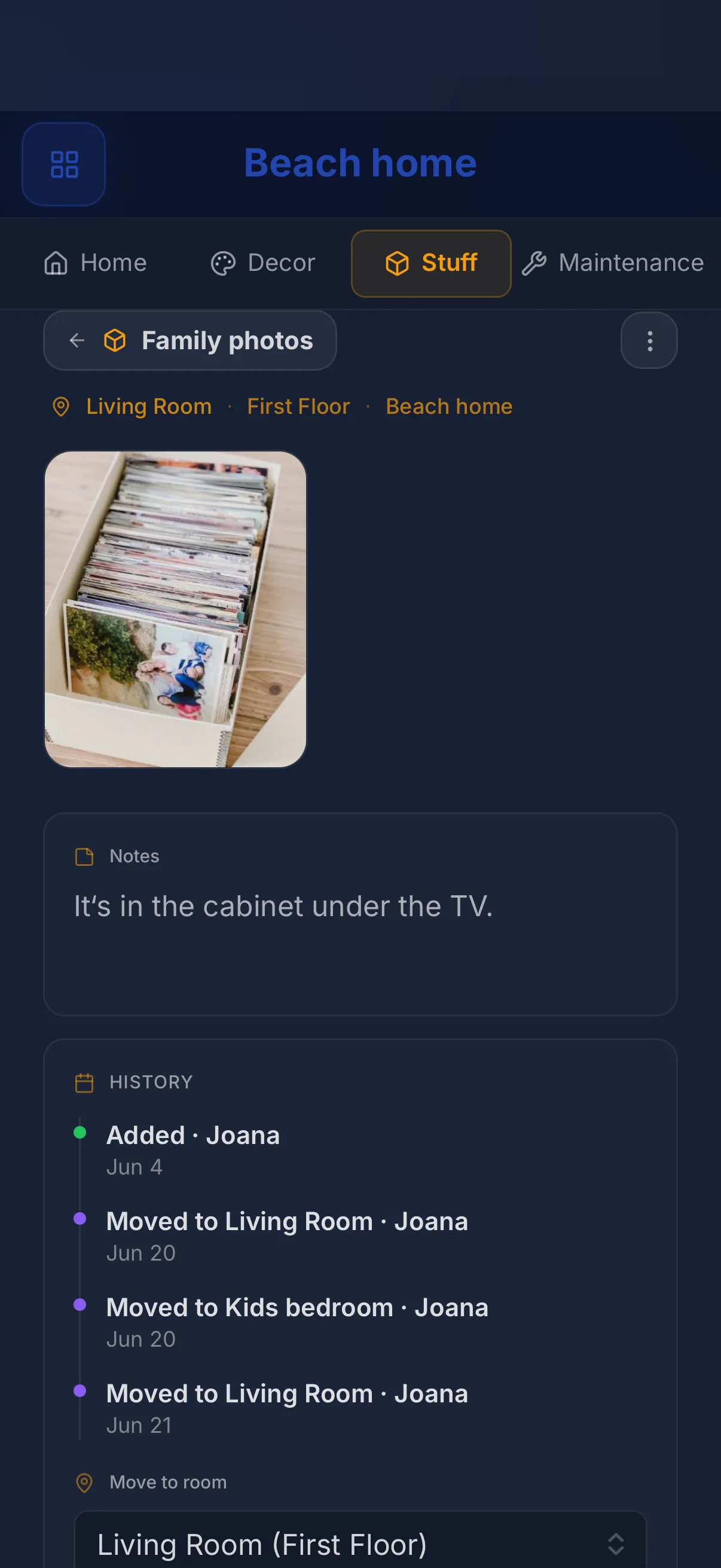
Pricing: free to start. Premium is $7.99 a month and adds power features with 2 collaborators. Pro is $14.99 a month with the full inventory and decor tools, multiple homes and up to 5 collaborators, which is what house managers and multi-property households use.
Honest limits: HomeMap does not do home value or mortgage tracking, and if what you want is a family calendar with school schedules, this is not that app. It is also the youngest app on this list, which means it improves fast but has less mileage than the decade-old tools.
Pick HomeMap if: you want your belongings, receipts, appliance history, tasks and documents in one place instead of four apps. Try it free here, or start with our guide to creating a room by room home inventory.
Homer: a lighter home binder
Homer, built by Sweden's Home Owner AB, is the app that made "digital home binder" a category. It stores manuals, floor plans and receipts, generates smart maintenance reminders, and has been featured repeatedly by Apple, including App of the Day. When Centriq shut down, Homer was the app Centriq itself pointed users toward, and it shipped an importer for Centriq refugees.
Pricing: a capable free version, with a premium subscription around $5 a month.
Honest limits: Homer's inventory is lighter than a true item-by-item catalog, and its Android version has noticeably weaker reviews than its iOS version at the time of writing. It documents the home beautifully; it is less strong at tracking the things inside it, with values and receipts attached per item.
Pick Homer if: you want the house documented and nothing more, in the lightest possible app, especially on iPhone. The moment you also want the things inside tracked, with receipts, values and tax flags attached, that is HomeMap's home turf.
HomeZada: the finance-dashboard veteran
HomeZada is the veteran of this list and the most financially minded. Beyond inventory and seasonal maintenance schedules, it tracks home value, remodel budgets, insurance details and the money side of homeownership. If you think of your home primarily as an asset to manage, HomeZada speaks that language better than anyone.
Pricing: a free Essentials tier, Premium at $99 a year, Deluxe at $189 a year.
Honest limits: the interface feels like the decade-old software it is, and the day-to-day capture of stuff, receipts and small tasks takes more clicks than the newer apps. It is a system you administer more than an app you flow with.
Pick HomeZada if: what you specifically want is mortgage, home value and remodel-budget dashboards. For the everyday money of running a home, what you spent, what is deductible and where the receipt is, HomeMap covers it with less friction and hands your accountant the report.
Cozi: a family calendar that pairs with HomeMap
Cozi is not a home asset manager at all, and it earns its place on this list because for many families "managing the home" really means managing the humans in it. Shared color-coded calendars, shopping lists, meal plans and to-dos, refined over many years. It appears in nearly every household app roundup because it does one job extremely well.
Pricing: free with ads; a paid Gold upgrade removes ads and adds extras.
Honest limits: no inventory, no receipts, no maintenance history. Cozi manages your family's time, not your home's contents.
Pick Cozi if: the pain in your household is schedules and shopping lists, not lost receipts and unknown serial numbers. Many families run Cozi for the calendar alongside HomeMap for the home itself; the two do not overlap.
Tody: cleaning schedules only
Tody is a focused tool with a clever model: instead of fixed dates, it tracks how dirty each area gets over time and prioritizes what actually needs cleaning. Reddit threads about household apps recommend it constantly, and for good reason.
Pricing: an inexpensive paid app.
Honest limits: cleaning is all it does. No documents, no inventory, no shared home records.
Pick Tody if: your single goal is a cleaning routine the whole household can follow. For every other job on this page, from receipts to repairs, you will still need a home management app beside it.
The Centriq shutdown, and why it changes how you choose
For years, Centriq was a standard recommendation in lists like this one: point your camera at an appliance, get its manual, parts and how-to videos. In January 2026, Centriq shut down. The app left the stores, and user accounts and stored data were deleted. Years of carefully entered appliance records, gone with the company.
That is the quiet risk of every home management app: you are trusting it with records you may need a decade from now, which is longer than many apps live. So add one question to your shortlist, whichever app you choose, including mine:
- What happens to my data if the app disappears? Favor companies that publish clear answers about your data in plain language, the way we do on our data deletion page.
- Can I get my records out? An export path, even a simple one, is the difference between switching apps and starting over from zero. HomeMap's receipt and tax reports, for example, export to PDF and CSV that live on your device, not just in the app.
- Is the price sustainable? Free forever is how apps die. A business model you can see, like a subscription, is what keeps the servers on.
Which one should you choose?
Match the app to the job your household actually struggles with:
- "I want everything about my home in one place": HomeMap. Inventory, receipts with AI tax flags, appliances, maintenance, assignable tasks and documents, shared with your household.
- "I manage several properties, or a household with staff": HomeMap Pro. Each home stays fully separate, tasks are assigned per person, and team members only see the properties you grant.
- "I want the house documented with minimal effort, nothing more": Homer.
- "I want mortgage and home-value dashboards": HomeZada. For everyday home money, receipts and deductions, HomeMap already covers it.
- "Our chaos is the calendar": Cozi, running alongside HomeMap rather than instead of it.
- "I just want cleaning handled": Tody.
The honest bottom line: most households do not need five apps. They need one place where the answer to "where is the receipt, when was it serviced, and what exactly do we own" is a ten-second search instead of an evening of digging. That is the job HomeMap was built for, and the free plan is enough to test whether it fits your home.
Start free, photograph your first room, and see your home come together in one place.
Get HomeMap free
FAQ
What is the best app for managing my home?
It depends on what "managing" means in your house. For belongings, receipts, maintenance and documents in one place, an all-in-one app like HomeMap or Homer fits best. For home finances and value tracking, HomeZada is the specialist. For the family calendar and shared lists, Cozi remains the default. Match the app to the job you actually need done every week.
What is the best home organizer app?
For organizing physical belongings, choose an app built around a room by room inventory with photos, like HomeMap, which identifies items from a photo and files them by room. For organizing schedules and chores rather than things, a family calendar app like Cozi or a cleaning planner like Tody is the better shape.
What are the best home maintenance apps?
Homer and HomeZada both ship strong maintenance schedules with reminders. HomeMap adds a service log tied to each appliance, so the repair history and the receipt live with the machine itself. If maintenance is your only need, Homer is the lightest way to start; if you want maintenance connected to your inventory and receipts, use HomeMap.